DPMux

The terminal built for multitasking

A native Windows terminal for running many things at once — vertical workspaces, notification rings when agents need your attention, split panes, in-app browser panes, and a socket API for automation.

Download for Windows Read the docs
~110 KB installer · no admin required · auto-updates · Windows 10/11 x64
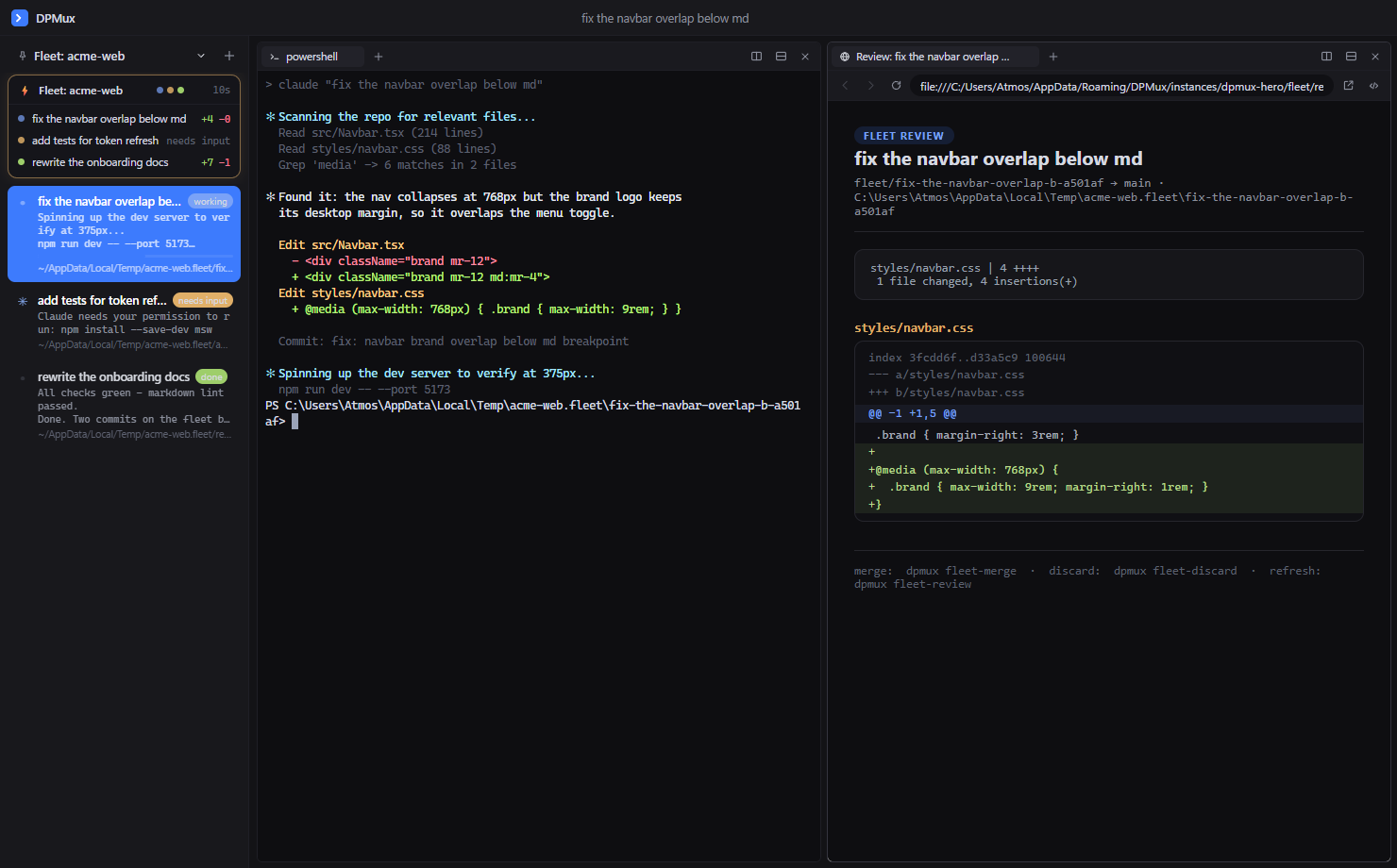
DPMux running a 3-agent Fleet Dispatch: the Fleet Board with live per-agent status dots and diff stats, an agent's session, and the diff-review pane
Features

Run a fleet of terminals — and the agents inside them

Inspired by cmux on macOS, rebuilt natively for Windows.

Command blocks

New in 2.0. Every command becomes a searchable block — command, output, exit code, working directory, timing. Ctrl+Shift+H for history: jump back, re-run, bookmark. The command palette searches it all. Turn capture on with dpmux install-shell-integration.

Workflow library

New in 2.0. Save the setups you run constantly as reusable workflows, prompts, and env sets. dpmux library run provisions a whole layout — dev server, browser preview, agent — in one command. Secrets are stripped locally before any block is stored.

Notification rings

Workspaces light up with a pulsing ring when an agent needs input — triggered by OSC 9/99/777 escapes, dpmux notify, or agent hooks. Desktop alerts and taskbar flashing when you're elsewhere.

Vertical workspaces

Every session is a sidebar item with live title, output preview, working directories, status pills, and progress bars. Group them into collapsible sections.

Split panes & surfaces

Split in any direction, drag to resize, navigate with Alt+arrows. Each pane holds a row of tabs that survive splits without restarting your shells.

Browser panes

Full Chromium webviews living next to your terminals — address bar, dev tools, popups-as-tabs. Watch the dev server beside the process running it.

GPU-accelerated

xterm.js with the WebGL renderer over ConPTY. Smooth scrolling at any pane count, with background workspaces kept cheap automatically.

Detach — sessions that survive

Shells live in a detached dpmux-ptyhost process, not the window. Crashes, restarts, even DPMux's own updates — your fleet keeps running and re-attaches with scrollback intact, tmux-style.

Chrome-style updates

A tiny stub installer fetches the latest release, verifies it, and installs per-user. Updates download in the background — restart to apply without losing a single shell, previous version kept for rollback.

AI agents

The terminal your agents can drive — and you can supervise

A few one-time commands wire Claude Code and OpenAI Codex into DPMux. After that, agents operate the terminal they live in, dispatch parallel fleets and research, and the sidebar tells you the truth about every session.

powershell — DPMux
> dpmux mcp install            # Claude drives the terminal + dispatches fleets
> dpmux install-hooks claude   # live pills: working · needs input · delegating · done
> dpmux install-hooks codex    # the same live pills for OpenAI Codex sessions
> dpmux install-skill claude   # teach Claude when to dispatch a fleet

Agents get hands & eyes

Via MCP, Claude splits a pane to run your dev server, opens a real Chromium tab at localhost, and screenshots it to see its own UI change — the whole verification loop happens in panes you're watching.

Ground-truth status pills

Claude Code and OpenAI Codex declare their own lifecycle through hooks — working, needs input (with a ring), done — no output-scraping heuristics. Run five sessions and know at a glance which one is blocked on you.

Self-targeting by design

Every pane injects DPMUX_* env vars, so agents address their own workspace with zero configuration — dpmux notify "done" rings the right tab from any script, hook, or CLAUDE.md instruction.

Fleet Dispatch

dpmux dispatch "task a" "task b" "task c" — a git worktree, branch, workspace, and Claude session per task, grouped in the sidebar. Review each diff in a pane, then squash-merge or discard. One repo, many agents, one merge gate — and Claude can dispatch a fleet itself through its fleet_* tools.

Research Dispatch

dpmux research "compare A vs B" "what people say about X" — parallel research agents, each in its own workspace under a Research group, leaning on web search and recent sources. No worktree, no merge — findings, not code. Claude can dispatch research itself through research_dispatch.

See what an agent did

New in 2.0. dpmux workspace-blocks opens an HTML transcript of a workspace's commands — every block with status, timing and output, errors highlighted. Agents get search_blocks and run_workflow tools too, so they can recall a command or launch a saved workflow themselves.

Theming

Ghostty-style configuration, hot-reloaded

Six built-in themes, full palette overrides, and keybind = combo=action bindings in settings.json. Already use Ghostty? DPMux inherits your fonts and colors from ~/.config/ghostty/config automatically. Edits apply live — no restart.

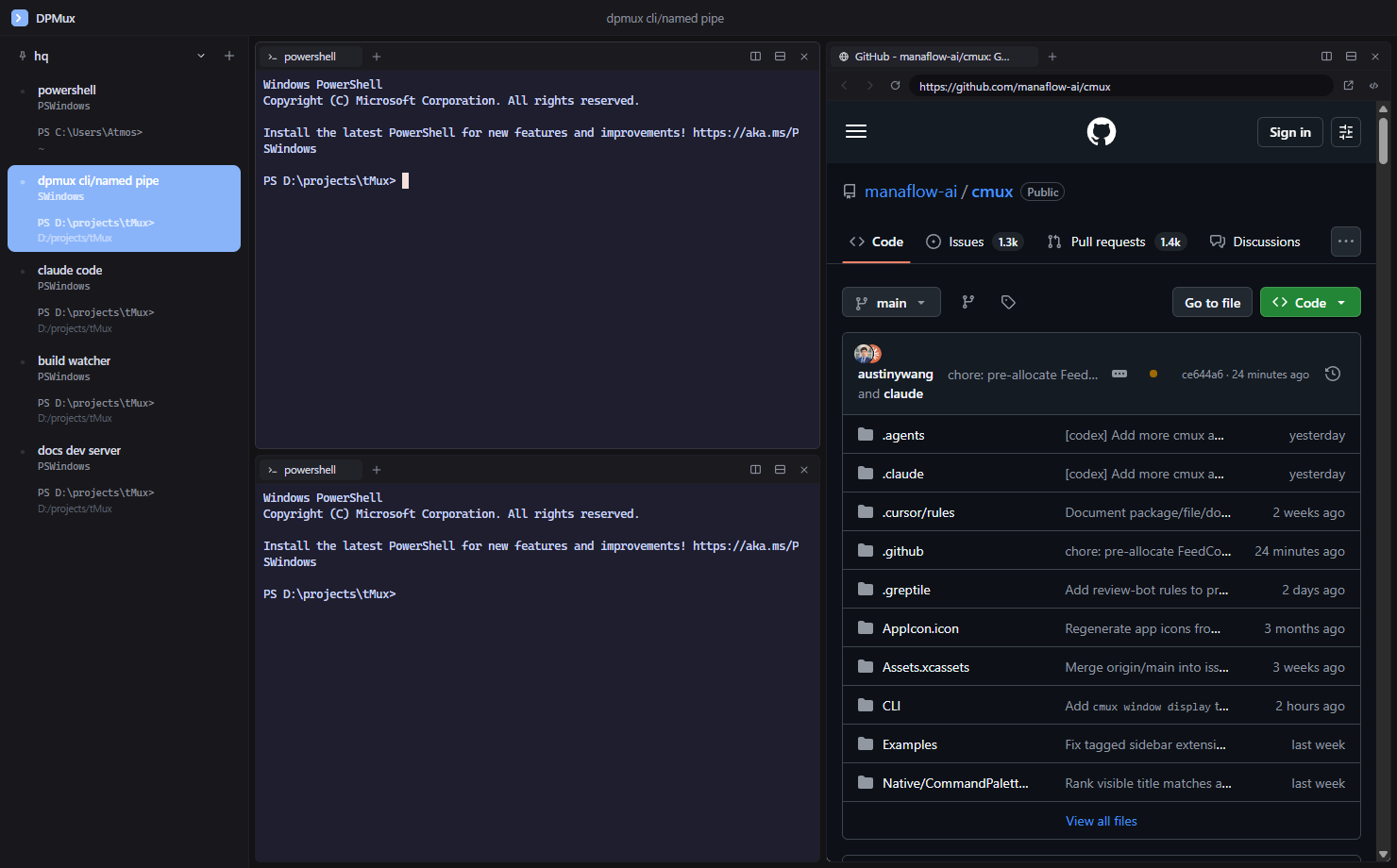
DPMux in catppuccin-mocha
"theme": "catppuccin-mocha"
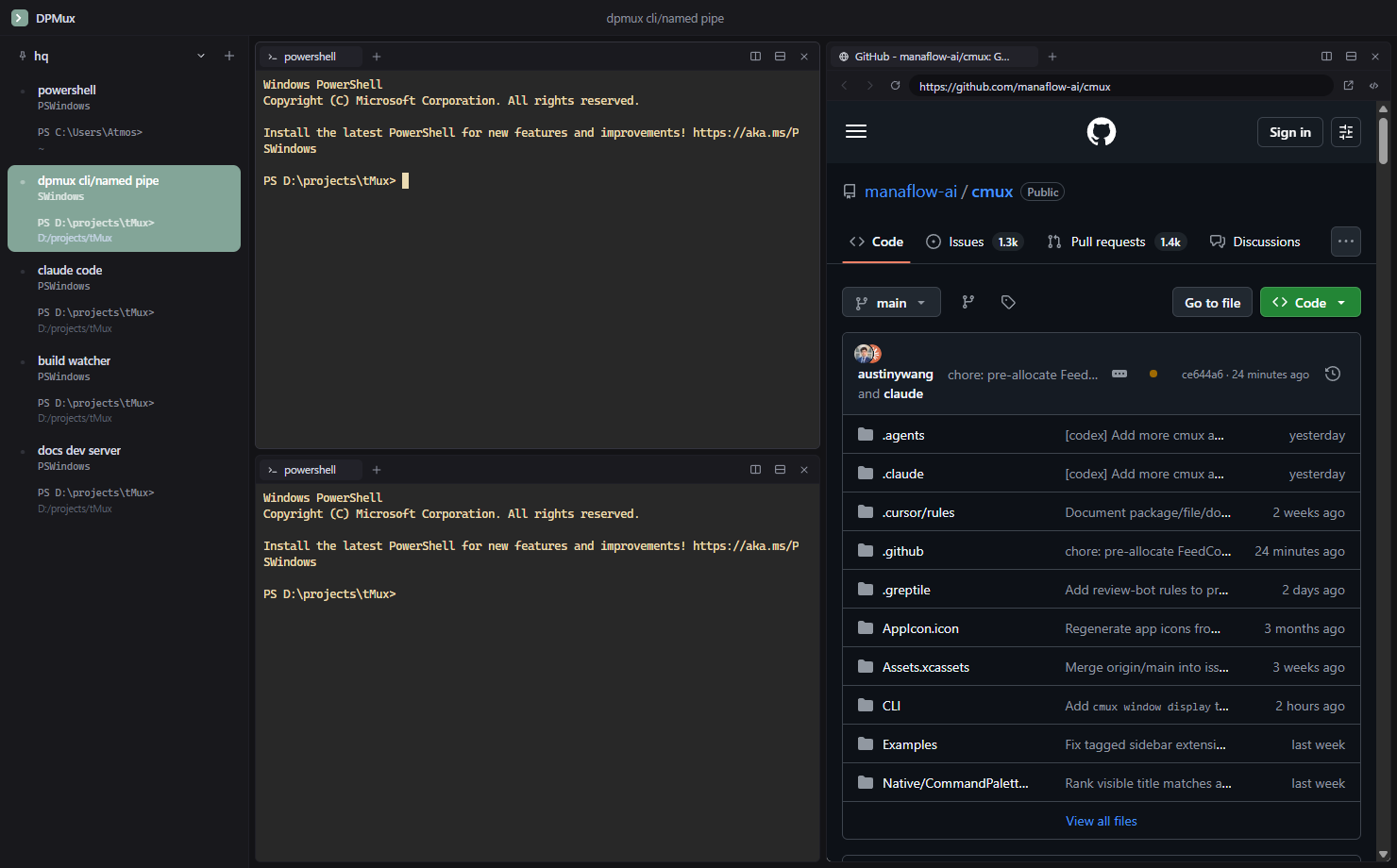
DPMux in gruvbox-dark
"theme": "gruvbox-dark"
Automation

A socket API your scripts and agents can drive

A named pipe speaking JSON lines, a dpmux CLI with 45+ commands (plus tmux-compat aliases), and an event stream. Shells know their own workspace, so an agent can ring its tab with one command.

powershell — DPMux
# spin up a labelled dev workspace with a browser beside it
> dpmux new-workspace --title "dev server" --cwd D:\proj --command "npm run dev"
> dpmux split-pane --dir right --url http://localhost:3000

# drive terminals from scripts
> dpmux send-text "git status" --workspace "dev server"
> dpmux capture-pane --lines 50

# an agent in a background tab rings its own workspace
> dpmux notify --title build "tests are green — ready for review"

# live event stream, screenshots, theming, updates
> dpmux events
> dpmux screenshot out.png
> dpmux reload-config
> dpmux check-updates
Install

Running in under a minute

1

Download DPMuxSetup.exe
A ~110 KB stub — no bundled payload, no wizard.

2

Run it
It fetches the latest release, verifies the SHA-256, and installs per-user — no admin prompt.

3

That's it
DPMux launches and keeps itself updated in the background. Uninstall any time from Apps & features.